
TY WEATHERS · CLIENT DASHBOARD
You keep selling. I handle the build.
Three sites live. What each one does, how you edit it, and what I need from you next. Bookmark this — it stays current.
THE SAME THREE BUSINESSES
Before and after
Open any of them. Both versions are live right now.
The studio
created by studio raine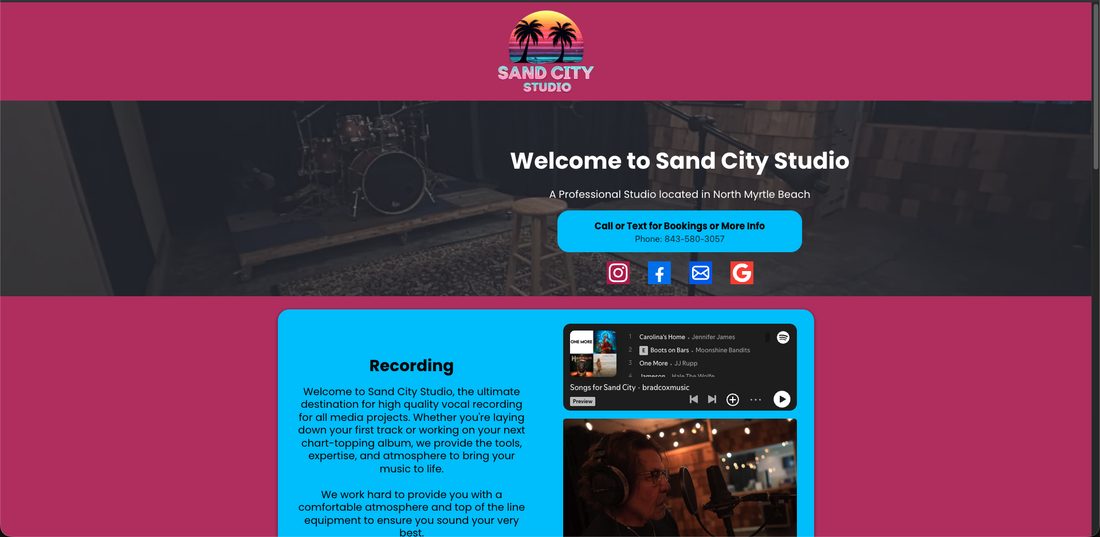
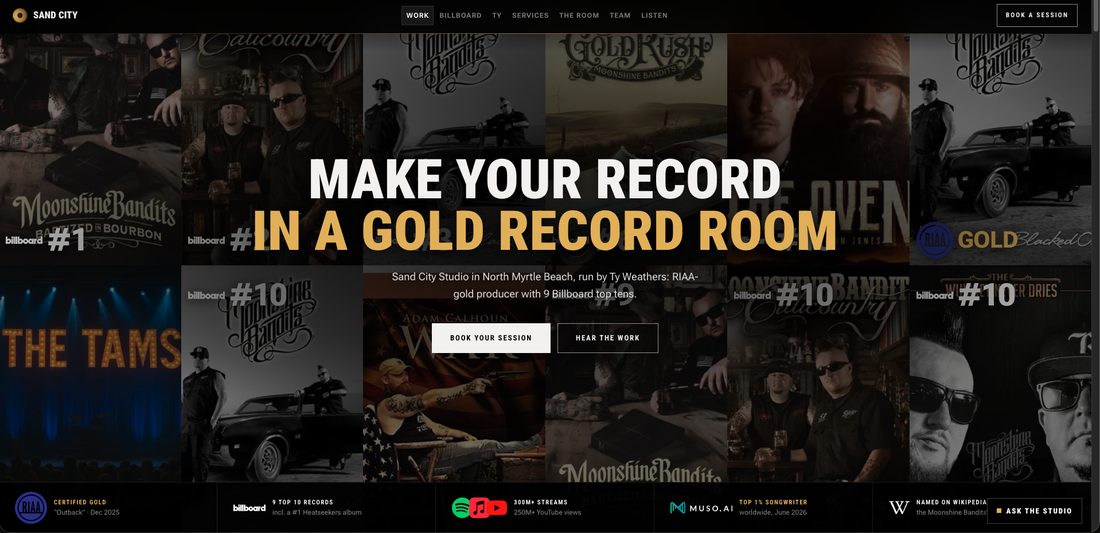
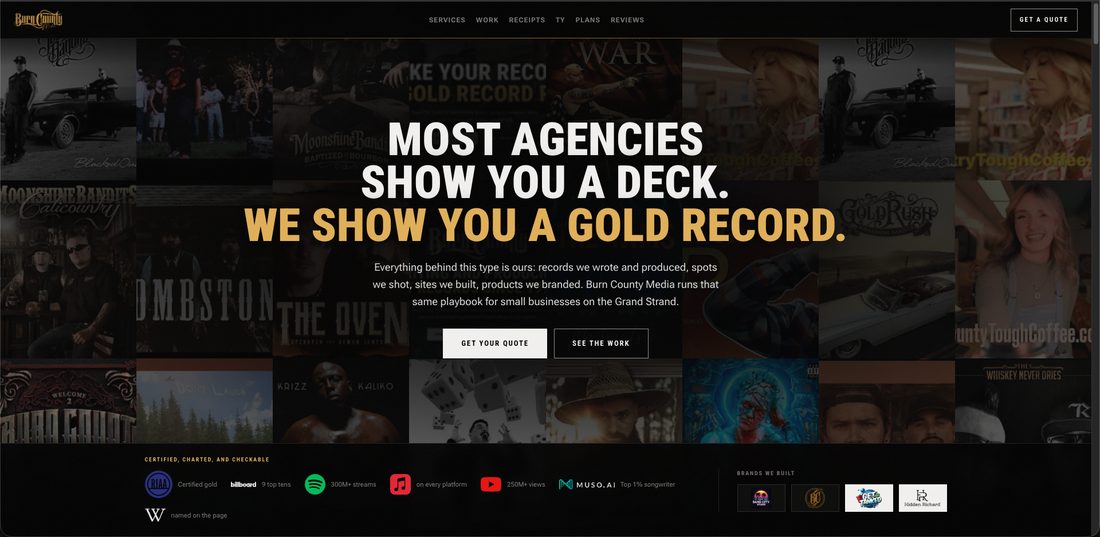
The agency
created by studio raine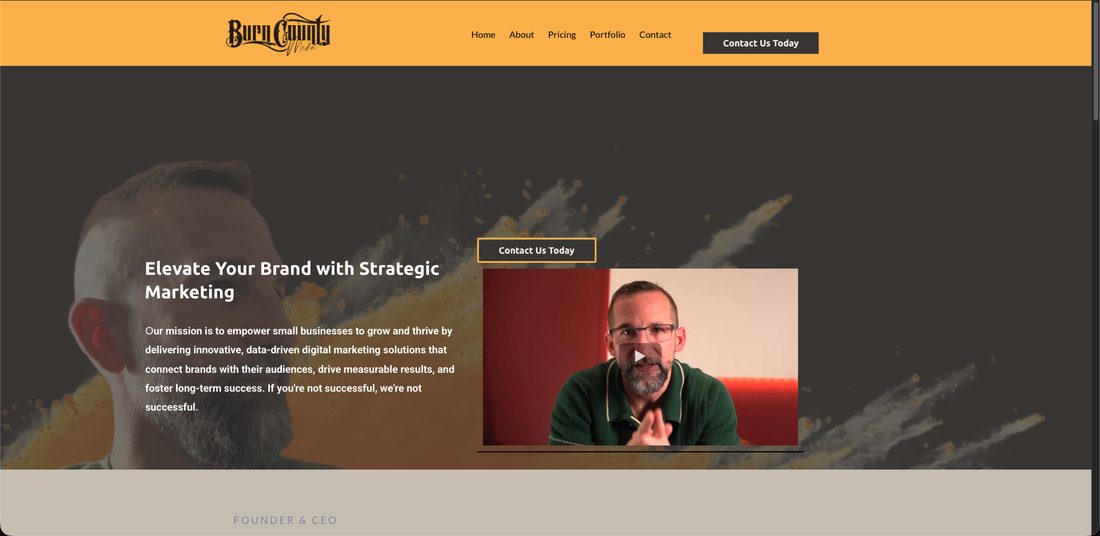
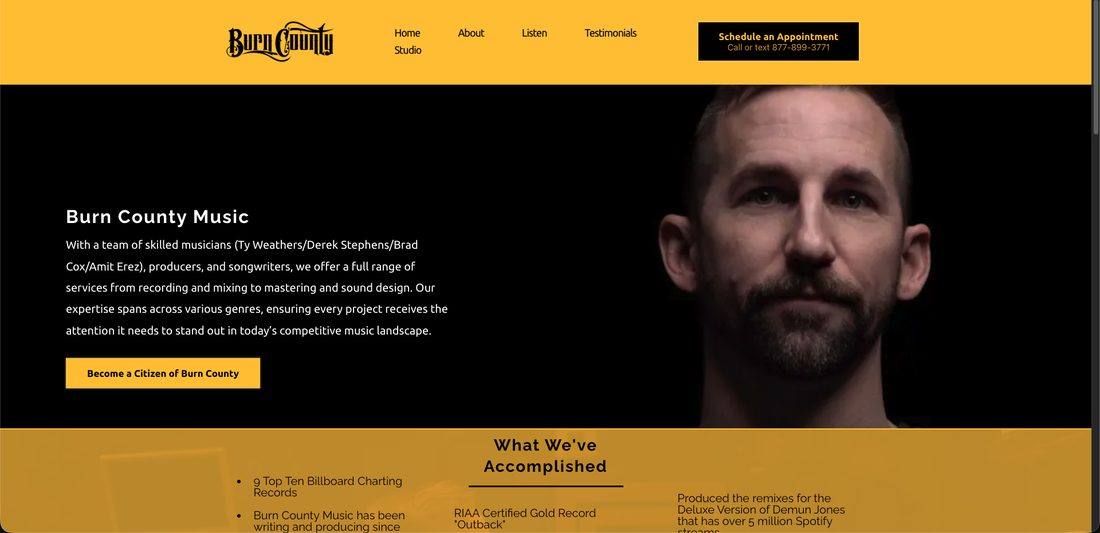
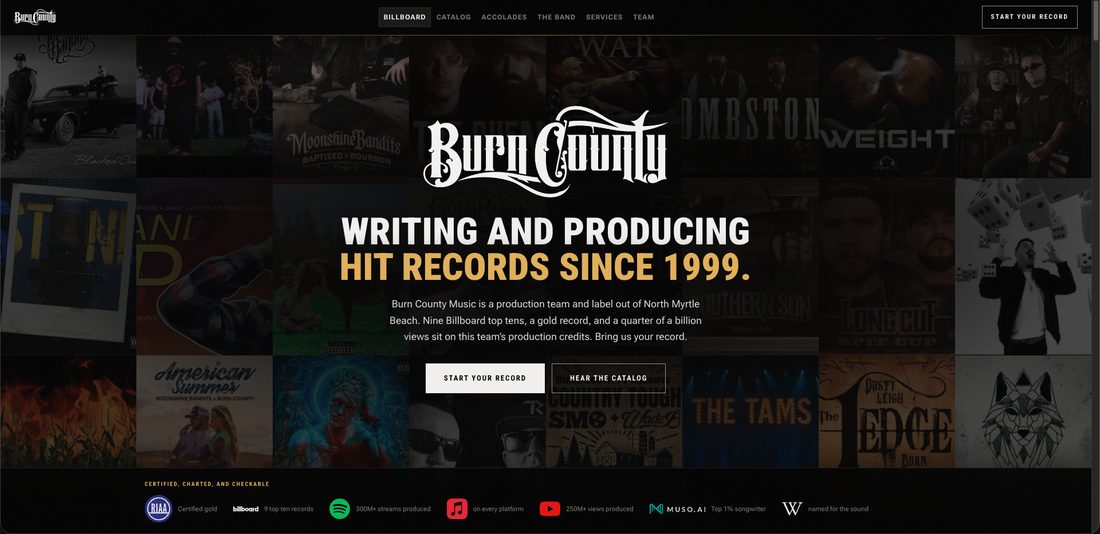
LOOP 1
You type it in GoHighLevel. The site changes.
This is how the agency and label sites work. Same Custom Values that already run your emails and texts — change a phone number once and it is right everywhere. burncounty.com is edited a different way, covered just below.
- 01
Open Custom Values
The screen you already use. Fields are prefixed per site so you always know which one you are editing.
- 02
Edit and save
Headline, price, phone number, photo. Plain text boxes.
- 03
The site reads it
Within a minute. Instantly if a workflow tells it to.
- 04
Done
Clear a field by mistake and the original wording comes back on its own.
LOOP 2
They fill the form. Your automations fire.
A lead from the site is a normal tagged contact. Everything you already built runs on it untouched.
- 01
Visitor fills the form
Bots get dropped before they reach you.
- 02
Contact hits your CRM
Tagged, with the source set to the exact site it came from.
- 03
Your workflow triggers
The tag is the trigger. Nothing was rebuilt to make this work.
- 04
Pipeline and follow-up
Stage assigned, text sent, notification on your phone.
HOW YOU EDIT
Two editors, because the two jobs are not the same
burncounty.com gets the editor you can point at. The other two read the Custom Values already in your account.
BURNCOUNTY.COM
Sanity visual editor
Your site opens inside the editor. Click a headline on the page, type over it, publish. Live in seconds.
- 306 fields, 7 screensHome, proof, services, equipment, EPK, consultation, settings. Everything a visitor reads, down to the alt text.
- Click the words on the pageYou edit the real site, not a form describing it.
- You cannot break itBlank a headline and the original returns. I deleted all seven documents to test it — the site still rendered.
- Under 8 seconds to liveMeasured. Publish, reload, done.
BURN COUNTY MEDIA + BURN COUNTY MUSIC
GoHighLevel Custom Values
677 fields in Settings → Custom Values, the screen that already feeds your emails and texts. One phone number, changed once.
- 302 on the agency sitePrefixed bcm_.
- 375 on the label sitePrefixed music_. Zero collisions.
- Same fallback ruleClear a value, the shipped wording returns.
- 74 sand_ fields are deadThey no longer touch burncounty.com. Use the Studio for that site. Say the word and I delete them.
Both editors are yours. Your Sanity admin invite is at ty@burncounty.com; the Custom Values are in your own sub-account.
THE WHOLE PICTURE
What lives where
Your account holds the data and the automations. The websites render it and send leads back. You own both sides.
RECEIPTS
Wired to what you already use
Every claim links to GoHighLevel's own docs. Check any of them.
Settings → Custom Values
Your words on every site
Their docs say a Custom Value updates everywhere it is used. Your sites are now one of those places.
“Updating a Custom Value in the settings will automatically update all templates and workflows where that value is used.”
GoHighLevel: Merge Fields & Custom Values
// The site asks your account for your words, every 60 seconds.const res = await fetch( `https://services.leadconnectorhq.com/locations/${LOCATION_ID}/customValues`, { headers: { Authorization: `Bearer ${process.env.GHL_API_KEY}`, Version: "2021-07-28" }, next: { revalidate: 60, tags: ["ghl-content"] } })const { customValues } = await res.json()Contacts
Every form on every site
Their docs confirm upsert respects your Allow Duplicate Contact setting. That is why a repeat enquiry updates the contact instead of erroring.
“Will adhere to the configuration defined under the ‘Allow Duplicate Contact’ setting at the Location level.”
GoHighLevel API: Upsert Contact
// A form submission becomes a tagged contact in your CRM.await fetch("https://services.leadconnectorhq.com/contacts/upsert", { method: "POST", headers: { Authorization: `Bearer ${process.env.GHL_API_KEY}`, Version: "2021-07-28" }, body: JSON.stringify({ locationId: LOCATION_ID, firstName, email, phone, source: "burncountymusic.studioraine.art", tags: ["burn county media contact"] })})Automations → Webhook
An automation updating the site
Their Webhook action posts to any URL you give it. Each site exposes one, so a workflow can refresh a site on your schedule.
“An outbound webhook is an automated message sent from a HighLevel workflow to a specific destination URL.”
GoHighLevel: Workflow Action, Webhook (Outbound)
// Point a GHL Webhook action here and the site refreshes.// POST https://burncountymusic.studioraine.art/api/revalidate?secret=...export async function POST(request) { revalidateTag("ghl-content", { expire: 0 }) revalidatePath("/") return Response.json({ revalidated: true })}Settings → Private Integrations
How the sites authenticate
A Private Integration Token scoped to one sub-account. You made it, you can revoke it, and it works the same for the accounts you add next.
Scoped to a sub-account, and authenticates every request with a Bearer header.
GoHighLevel: Private Integrations
// One env var per site decides which sub-account it belongs to.GHL_API_KEY=pit-••••••••-••••-••••-••••-••••••••GHL_LOCATION_ID=your_sub_account_idGHL_LEAD_TAG=burn county media contactTHEY BUILT THE TOOL FOR THIS
GoHighLevel ships a connector for exactly how I work
Not a workaround. Their own server, their own docs, and they name the tool I build with by name.
“We're excited to announce that the LeadConnector MCP (Model Context Protocol) server is live and ready for use!”
GoHighLevel, LeadConnector MCP Server docs
“you can now query, automate, and orchestrate everything in your LeadConnector account with AI.”
Same page
“The best way to connect your agents to LeadConnector is the per-client endpoint https://services.leadconnectorhq.com/mcp/{client}/v2, live today for Claude at /mcp/anthropic/v2.”
Same page. Claude is the tool I build your sites with.
Their documentation names Claude Code
There is a section called Claude Code (CLI) with the exact command to run. GoHighLevel wrote the instructions for the tool I use, so this is their intended workflow, not a hack around one.
It uses the token you already made
The same Private Integration Token running your three sites authenticates the connector. Nothing new to create, and you can still revoke it in one click.
It reaches your whole account
Contacts, conversations, opportunities and pipelines, calendars and appointments, payments, products, invoices, social planner, blogs, emails, forms and surveys.
It runs both ways
Read what is in your account and execute operations in it. That is how a change you ask for on a call is done by the end of the call.
# Straight from GoHighLevel's own documentation.claude mcp add --transport http leadconnector \ https://services.leadconnectorhq.com/mcp/anthropic/v2# Run against YOUR sub-account, with the token you already issued.$ curl -X POST https://services.leadconnectorhq.com/mcp/anthropic/v2 \ -H "Authorization: Bearer pit-••••••••" -d '{"method":"initialize"}'{"result":{"protocolVersion":"2025-06-18", "capabilities":{"tools":{}}, "serverInfo":{"name":"ghl-mcp","version":"1.0.0"}}}$ ... {"method":"tools/list"} search find records by name, email, phone fetch pull the full record search_operations find an executable GHL API operation describe_operation inspect its inputs execute_operation run itCOMPATIBILITY
Every part of GoHighLevel it touches
Tested against your account, not a demo account.
Custom Values
LIVE
677 fields driving the agency and label sites. Edited one, watched that site change.
Sanity visual editing
LIVE
306 fields on burncounty.com, click-to-edit on the real page, published live in under 8 seconds.
Forms and contacts
LIVE
Submissions create real contacts. Their message saves as a note on the record.
Tags
LIVE
Every lead arrives tagged, using a tag that already exists in your account.
Workflows
LIVE
Your published workflows trigger with nothing changed.
Pipelines
LIVE
The contact drops into whichever stage your workflow assigns.
Outbound webhooks
LIVE
A workflow can refresh any of the sites.
Their MCP connector
LIVE
GoHighLevel's own server answered your account on the token you already issued.
Calendars
READY
Your booking calendars embed into any page. Say the word.
Tracking
READY
Your tracking ID drops in and reports alongside your funnels.
More sub-accounts
READY
Three env vars per site. Configuration, not a rebuild.
BUILT, NOT JUST CONNECTED
I can create these in your account, not only read them
One command, 21 operations against your sub-account, every result read back to confirm it landed. Then it deletes everything it made.
MACROS
Custom Values
Created a value, read it back, changed it, counted the account, deleted it. That run predates the Sanity move; 677 of those values drive the agency and label sites today.
- create-custom-value
- get-custom-value
- update-custom-value
- delete-custom-value
AUTOMATIONS
Workflows and tags
Listed your 6 workflows, created a contact, tagged it with a tag you already had, attached a note, enrolled it into a published workflow.
- get-workflow
- upsert-contact
- add-tags
- create-note
- add-contact-to-workflow
STEP FUNNEL
Pipelines and stages
Created an opportunity in your Burn County Media pipeline and walked it through all five stages, confirming each move by reading it back. Plus a trigger link.
- get-pipelines
- create-opportunity
- update-opportunity
- create-link
$ npm run ghl:proof connected to ghl-mcp 1.0.0 sub-account iYLhtZq26s9WSTp2MUItMACROS 01 Created a Custom Value id nyQZXPY2VB0FdUOPF5kD 02 Read it back from his account "created by Studio Raine, live on this call" 03 Updated it "updated, without touching a line of code" 04 Counted the values driving the sites 751 of 754 in the accountAUTOMATIONS 05 Listed his workflows 6 total, 4 published 06 Created a contact id it4vHXe291aYxpYbCoOw 07 Tagged it "burn county media contact" 08 Attached a note 09 Enrolled it into a live workflow "BC Citizen workflow" is running on itSTEP FUNNEL 10 Picked a real pipeline "Burn County Media", 5 stages 11 Created an opportunity sitting in "New Lead" 12 Advanced to stage 2/5 "Lead Contacted" confirmed by reading it back 13 Advanced to stage 3/5 "Consult Scheduled" confirmed by reading it back 14 Advanced to stage 4/5 "Not Interested" confirmed by reading it back 15 Advanced to stage 5/5 "New Client Acquired" confirmed by reading it back 16 Created a trigger linkCLEANUP 17 Deleted the opportunity gone 18 Deleted the trigger link gone 19 Deleted the workflow enrolment gone 20 Deleted the contact gone 21 Deleted the Custom Value gone21 operations, every one against the live account. Nothing left behind.Every write carries an idempotency key, so a retry can never create a second contact or a duplicate opportunity in your CRM.
LIVE ON THIS CALL
Watch it happen, do not take my word for it
Three forms, three sites, your CRM open next to them. Under two minutes.
BEFORE YOU START
Use a different name, email and phone on each site
Your account has duplicate contacts turned off, so the same phone number on all three forms merges into one record with three messages on it. That is correct behaviour, but it looks like two of the three failed. Different details on each site gives you three separate contacts.
- 01THE FUNNEL
Submit the form on all three sites
Open burncounty.com, burncountymedia.studioraine.art and burncountymusic.studioraine.art side by side. Fill in the contact form on each one, using a different name, email and phone number per site.
WHAT YOU SEE
Each form confirms in place with its own thank-you. That is the top of the funnel, on a site that is not hosted by GoHighLevel.
- 02THE FUNNEL
Open Contacts in GoHighLevel
Switch to your sub-account and open Contacts. Sort by newest. All three submissions are sitting there as real contacts.
WHAT YOU SEE
Three separate records, created seconds ago, with no import and no copy and paste.
- 03THE FUNNEL
Open one contact and read the source and the note
The Source field names the exact site the person came from. Their message is saved as a note on the record, prefixed with the site it was typed on.
WHAT YOU SEE
A note reading "Website enquiry (burncounty.com):" followed by exactly what they wrote. Nothing a lead types is ever dropped.
- 03bTHE FUNNEL
Now submit twice with the same phone number
Go back and send a second message from another site using the same number as one you already used.
WHAT YOU SEE
No duplicate contact. The second message lands as another note on the existing record, tagged with its own site. Your duplicate setting is being respected, not worked around.
- 04AUTOMATIONS
Look at the tag
Every lead arrives carrying a tag that already exists in your account. Nothing was invented for this.
WHAT YOU SEE
The tag is the trigger. Any workflow you have already published that listens for it fires on its own.
- 05AUTOMATIONS
Open Automations and follow the run
Open the workflow that watches that tag and look at its history. The contact you just created is in it.
WHAT YOU SEE
Your automation running on a lead from a site you did not build in GoHighLevel. Stage assigned, follow-up sent.
- 06MACROS
Change a Custom Value and reload the agency site
Go to Settings, then Custom Values, and edit a bcm_ field — a headline or a phone number. Save it, hit the refresh link, then reload burncountymedia.studioraine.art.
WHAT YOU SEE
The website changes. Custom Values are the macros already inside your emails and texts, so the site and your messaging now read from one place.
- 07MACROS
Clear the field on purpose
Empty the value you just edited and save it.
WHAT YOU SEE
The original wording comes back by itself. You cannot break the site from GoHighLevel, which is the whole point of handing you the keys.
- 08VISUAL EDITING
Now edit burncounty.com the other way
Open sandcitystudio.sanity.studio. Your actual site loads inside it. Click a headline on the page, type over it, press publish. Do not use Custom Values for this site — the sand_ fields no longer drive it.
WHAT YOU SEE
You editing the real page by clicking the words on it, live in under eight seconds. This is the one to show a client, because there is nothing to learn.
Delete the three test contacts afterwards and the account is exactly as you left it.
EVIDENCE
Run against your account, not a demo
Then cleaned up after.
3 / 3
sites created a real tagged contact in your CRM, each attributed to the site it came from
983
fields you can edit yourself — 306 in Sanity, 677 in your Custom Values
1 edit
changed a live site in front of me, then was put back
0
test contacts left behind
THE OFFER
What I build
All of it lands in your GoHighLevel the same way the three sites already do.
SITES & PAGES
- Full websites, like the three already live
- Landing pages for one campaign or offer
- Sales and opt-in funnels
- Storefronts and product pages
- Booking pages around your calendars
INTO GOHIGHLEVEL
- Forms that create tagged contacts
- Leads dropped into the stage you pick
- Your existing workflows, untouched
- Calendars embedded on any page
- Every word editable by you
EVERYTHING AROUND IT
- Copy that sounds like you
- Brand and identity when a project needs it
- Technical SEO and local search
- Speed, mobile, accessibility
- Press kits, print and web
AT SCALE
- Works across as many sub-accounts as you bring
- One build becomes a template for the next client
- White-labelled, so they only see your brand
- You keep the account, the data, the relationship
- Nothing to migrate, ever
THE ROADMAP
Where this goes for you
Pick the one costing you the most. We start there.
The agency
You sell web design on retainer. Build capacity is what caps an agency.
- A portfolio that existsThree flagship builds to point at on any sales call. Today.
- White-label deliveryYou sell it. I build it under your name. Your client never meets me.
- A page per campaignEvery offer and ad set gets a landing page that does not look like a template.
- Client reportingA live dashboard per retainer client, so the invoice justifies itself.
The studio
Bookings are won before anyone picks up the phone.
- Booking that closesYour calendar on a page built to turn an Instagram visitor into a session.
- A reviews engineYou have zero Google and Facebook reviews. The automation runs on the GoHighLevel you already pay for.
- Service pages that sellMixing, mastering, audiobooks and voice-over each get a page, not a line on a list.
- Follow-up after the sessionWhat turns one booking into a regular.
The label
Every release is a launch. Right now they land nowhere.
- Release funnelsPre-save, fan capture, tour dates. One template you reuse every time.
- Artist EPK pagesEvery artist you produce needs one. Sell it as a session add-on.
- Fan list growthBecome a Citizen already captures fans. Give it a home page and it grows on its own.
- Merch and productCountry Tough proved you can ship a product. The storefront is the gap.
Leaking money right now
All from your public presence. Check any of them in a minute.
- A dead booking linkThe paid consultation link in your Linktree returns a 404. Highest intent link you have.The link itself
- A stale press kitYour EPK undercounts your streams and views by roughly half and predates the gold record.
- Scattered brandSeveral domains, two Facebook pages, an email on a dead domain.Your Linktree
- Country Tough's domainThe coffee is buyable on a partner store. Your own domain is dead and the Linktree tile goes nowhere.The partner store
- Credentials nobody seesTop 1% songwriter on Muso.AI is cited on none of your sites.Your Muso.AI profile
- The Wikipedia pageYou asked about this. RIAA cert, chart history, press and an existing mention make a real case.The existing mention
YOUR LOGINS
Where everything lives
Four doors. You own all of them.
EDIT BURNCOUNTY.COM
Sanity Studio
sandcitystudio.sanity.studioYou already accepted the administrator invite on ty@burncounty.com. Sign in with that address.
- 1Open the link and sign in.
- 2Left menu picks the screen: Home, Proof, Services, Equipment, EPK, Consultation, Settings.
- 3Click any text on the page preview and type over it.
- 4Hit Publish. Reload the live site — under 8 seconds.
EDIT THE OTHER TWO SITES
GoHighLevel Custom Values
app.gohighlevel.comYour own Burn County Music sub-account. Same login you use every day.
- 1Settings → Custom Values.
- 2Search the prefix: bcm_ for the agency site, music_ for the label site.
- 3Edit the value and save.
- 4The site picks it up within 60 seconds.
TELL ME WHAT TO CHANGE
Review mode
burncounty.com/reviewNo login. The link itself turns it on, on any device.
- 1Open the /review link for the site you are looking at.
- 2Drag a box around anything you want changed.
- 3Pick Change, Question, Bug or Other and type the note.
- 4It reaches me with a screenshot of that exact spot. /review/off turns it back off.
WHERE LEADS LAND
Contacts and pipelines
app.gohighlevel.comSame sub-account. Nothing new to set up.
- 1Every form submission creates a tagged contact.
- 2The Source field names the site it came from.
- 3Their message saves as a note on the record.
- 4Your published workflows fire on the tag, unchanged.
NEXT STEPS
What happens next
Top block is yours. Bottom is mine.
Mark up the sites yourself
Open a site with the link below and you get a pointer. Drag a box around anything, type what you want changed. It reaches me with a screenshot of that exact spot, from your phone or your laptop.
Turn it off with /review/off. Visitors never see it.
OR JUST TEXT ME

YOURS
Four things only you can give me
- 01The Desiigner and Giles Martin storyThe site says "recently in the room with" because that is all I can back. Tell me what happened and it becomes a real credit.
- 02Studio b-roll and photos of your gearThe reel you sent was an artist promo, not room footage. The equipment page is on stock photography until I have your actual units.
- 03Confirm 877-899-3771 takes textsToll-free numbers need SMS provisioned separately. Your link-in-bio already offers texting on it.
- 04One review from a business that is not a bandA restaurant, a contractor, a shop. It is the one thing the agency site is missing.
MINE
What I do the moment you say go
- 01Point your domains at the two demo sitesburncountymedia.com and burncountymusic.com still show the old versions. Both rebuilds are finished, waiting on DNS.
- 02Whatever comes back on the review linksI work the list you draw on the sites.
- 03Anything in the account you want builtWorkflows, calendars, a funnel step, another site. It lands in the same sub-account you already own.